Compare Remini vs Topaz
Users tend to confuse Remini with Topaz while looking for the best photo editing tool. Both of them are AI-based video and photo enhancer apps designed with the purpose of improving media quality.
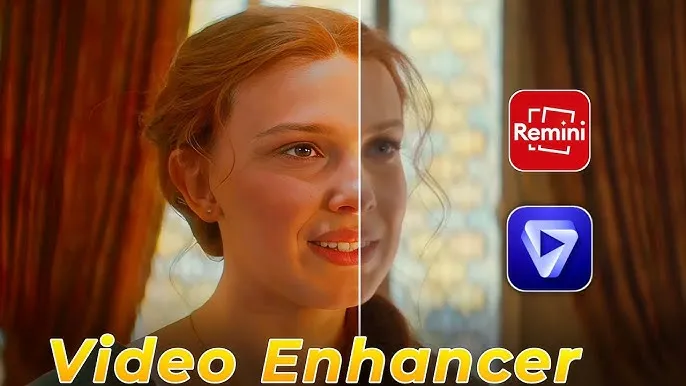
In this article, we will analyse both applications deeply.
What is Remini?
Remini is an AI photo enhancer app that restores old photographs and improves their quality. The app comes with batch processing, which allows a user to edit several photos simultaneously. The app works on all smartphones as well as Android TVs and desktops, which means it is widely accessible.
Core Features of Remini APK
- AI Features: The app has transformational technologies incorporated to enhance image editing. AI wedding filter, AI Avatars, AI gender swap, and many more are part of this enhancement.
- Restore Old Photos: Recovering old, damaged, or blurry images is an essential tool of Remini Mod APK. The app lets you restore old memories to enhance the photo quality.
- Vast Compatibility: The app is accessible on Android and iOS devices smoothly. Moreover, it works on PCs and Macs to be a versatile app.
- Fast Editing: Remini facilitates easy and relevant tool finding, which saves time. According to the company’s statement, the app processes multiple images in mere seconds
What is Topaz?
Topaz is an incredible photo enhancement software to detects and fixes quality errors automatically. The app is powered by modern AI technology with various features designed for photographers to improve image quality. This tool works on computers and MacBooks only.
Core Features of Topaz
- AI Filters and Effects: Topaz comes with advanced editing tools based on AI technology. It includes Sharpen, DeNoise, and Gigapixel to enhance, sharpen, and enlarge photos.
- Integration: This platform is integrated with Lightroom and Photoshop editing software to enhance work efficiency.
- Access Plugins: Topaz lets users edit photos by using various plugins such as Mask AI, Studio 2, and others to uplift photo editing skills to the next level.
- Customizations: Users can enjoy unlimited customization options to get an incredible editing experience.
- Availability: Topaz software is designed for PCs and MacBooks for a better experience. So the app is not accessible on Android and iOS smartphones.
Remini vs Topaz – a Brief Comparison
| Features | Remini APK | Topaz |
| AI Technology | Yes | Yes |
| Batch Processing | Yes | No |
| Recover Old Images | Yes | No |
| Facial Retouch | Yes | No |
| Cost | Free and Paid | One-time Payment |
| App Availability | Yes | No |
| Desktop Availability | No | Yes |
| Performance | Fast | Depends on Hardware |
| Compatibility | Limited | Vast |
| Customizations | Limited | Unlimited |
| Integration | No | Yes |
| Updates | Regular | Regular |
| Community Support | Limited | Active |
Let’s talk about the possible advantages and disadvantages of both platforms:
| Remini | Topaz | |
| Pros | AI technologyEasy to useIntuitive interfaceFast processingApp Compatibility | AI pluginsPC and macOS CompatibilityVast IntegrationAI EnhancementsMore Customizations |
| Cons | Limited tools in the free versionLimited customizations | Not for SmartphonesExpensive |
FAQs
- Do Remini and Topaz Use for Video Enhancement?
Although both apps are designed for photo enhancement, there are basic but limited video editing features.
- Which App is Easy to Use?
Remini is easy to use for smartphone users. But Topaz stands out when users prefer editing on a big display of the computer.
- Do Topaz and Remini Require A Subscription?
While Remini has both a free and paid version with basic and advanced features, respectively, Topaz is premium software that requires a one-time purchase.
- Which File Formats Does Topaz and Remini Support?
Remini supports JPG and PNG for smartphones and TIFF for a web version. Meanwhile, Topaz supports a variety of formats such as JPG, PNG, RAW, and TIFF.
- Can I Use Remini and Topaz Offline?
No, both software programs demand a stable internet connection.
About the Author

Manish Ravindra
Manish Ravindra is a digital creator and mobile editing apps experts, who explore the best AI-powered photo editing Tools Like Remini to share with the Audience. He provides all the details about the app, guides users on its latest features, and offers tips for getting professional work.